10 WhatsApp Business ChatGPT Prompts for Consistent Customer Replies
Ten fill-in WhatsApp Business prompts for complaints, orders, payments, sales follow-ups, and bookings. Built for ChatGPT, Gemini, and Claude with hard rules so replies stay short and never invent refunds.
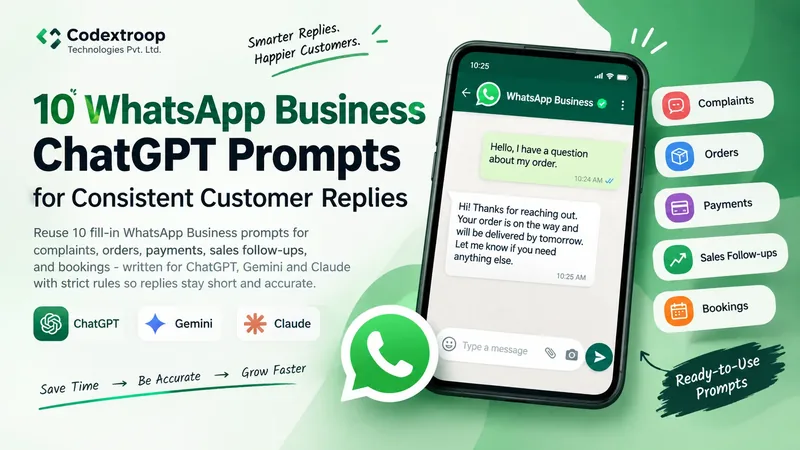
Most WhatsApp Business chats go wrong in the same three ways. The reply runs long. The tone suddenly sounds like a brochure. Or worse, the message invents a refund, delivery date, or discount nobody in the shop approved. Customers remember that. Chargebacks remember that too.
Indian small businesses feel this daily. One person handles orders on WhatsApp while packing boxes. Another jumps between Hindi, Hinglish, and English. Templates help, but sticky notes drift. What you need is a short reusable prompt with hard rules: what the model may use, what it must never invent, and the exact shape the customer should see on screen.
Codextroop Prompt Library ships ten WhatsApp Business prompts for that workflow. Fill the blanks on the page, copy once, paste into ChatGPT, Gemini, Claude, or Grok. Each template returns only the customer-facing message. No "Sure! Here is a professional reply" preamble to delete before you hit send.
What breaks WhatsApp replies in the wild
Open a typical support chat and you will see patterns. Someone pastes a paragraph that belongs in email. Someone apologises for a fault that was never confirmed. Someone quotes a courier ETA from memory. The model did not invent the chaos alone. The human prompt left the door open.
- No length cap, so the model writes essays.
- No "facts only" rule, so missing fields become guesses.
- No banned behaviours, so emojis and sales cliches sneak in.
- No fixed card format for orders and bookings, so every reply looks different.
These ten prompts close those doors on purpose. They are strict. That is the point.
Open the 10 prompts
Each link opens the live fill-in page. Related templates also live under Customer Support and Sales.
- Professional WhatsApp ReplyRewrite a rough message into a short, natural reply (max 3 sentences).
- Customer Complaint ReplyAcknowledge the issue without admitting unconfirmed fault or promising unauthorized refunds.
- WhatsApp Order ConfirmationFixed Order Confirmed card with ID, product, quantity, amount, and delivery.
- WhatsApp Order Status UpdateShort Order Update block using only the status details you supply.
- WhatsApp Payment ReminderPolite Indian business English. Never threatening. Never inventing discounts.
- WhatsApp Sales Follow-UpNon-pushy follow-up that asks exactly one clear question.
- WhatsApp Product Enquiry ResponseAnswer from product info only. Otherwise say the detail is not available.
- WhatsApp Appointment ConfirmationName, Service, Date, Time, and Location in a fixed booking card.
- WhatsApp Message to Professional EnglishPolish informal drafts without changing the meaning.
- WhatsApp Business Message Generator30 to 70 word message for order, support, follow-up, payment, or appointment.
Why these stay consistent
No model guarantees identical wording on every run. These templates get closer by locking the job before the first token.
- Clear role: support, sales follow-up, or booking confirmation.
- Allowed information only. Never invent prices, dates, tracking numbers, or policies.
- Fixed output formats for orders and appointments.
- Hard length limits (sentence caps or word caps).
- Forbidden behaviours: no emojis, no refund promises unless you supply them, no marketing fluff.
- Fallback lines when a field is missing, for example "Not provided".
- Return only the final WhatsApp message.
If your brand voice needs one warmer word, edit after the model replies. Do not loosen the prompt so the model "sounds friendlier" by inventing a goodwill coupon.
How to use them in under a minute
- Open one prompt above. Start with Professional WhatsApp Reply if you are unsure.
- Paste only verified details: order IDs, amounts, times, product facts from your sheet or CRM.
- Copy the completed prompt into ChatGPT, Gemini, Claude, or Grok.
- Send the model reply as-is, or tweak one line for brand voice.
- Save the prompt on this device if the team reuses the same flow every day.
Train new staff on the fill-in fields, not on clever prompting. The template is the SOP.
Tips for Indian small businesses and support desks
- Keep a shared note of approved refund, replacement, and SLA language. Paste those lines into the prompt when they apply.
- For orders and appointments, prefer structured templates like Order Confirmation and Appointment Confirmation.
- If you later wire these into a CRM, wrap outputs as message, intent, and language so validation is easier than free text.
- Use Product Enquiry Response when catalogue data is incomplete. An honest "I do not have that information available right now" beats a wrong answer that creates a chargeback.
- For Hinglish customers, finish the English fact-correct draft first, then translate in a second pass. Do not mix translation and fact invention in one step.
A simple desk workflow that scales
Morning rush works better with lanes. Complaints go through the complaint template. COD and UPI reminders go through payment reminder. Bookings go through appointment confirmation. Everything else starts as a professional reply rewrite of the agent draft. That split stops one mega-prompt from doing five jobs badly.
If you are new to fill-in prompts in general, read How to use fill-in AI prompts, then come back to this set. Browse more writing and sales templates under Categories when you outgrow WhatsApp-only work.
FAQ
Do these work only with ChatGPT?
No. The output is plain text, so the same filled prompt works in Gemini, Claude, and Grok.
Will every reply look identical?
No, and that is fine. The goal is predictable length, tone, and safety (no invented promises), not word-for-word clones.
Can I use them for Hindi or Hinglish customers?
Start from the English templates, then ask the model in a second step to translate while keeping the same facts and structure.
Where else can I browse related prompts?
Open Customer Support, Sales, or search WhatsApp on promptslibrary.net.
Should I turn these into WhatsApp Business API templates?
Use these for agent-assisted drafting first. Official API message templates still need Meta approval and fixed variables. Treat this library as the drafting layer, not the API submission form.