

Product Photography
Premium Product Photography: 2-Stack Grid AI Photo Prompt



Two independent square posts stacked as a hero commercial and detail frame.
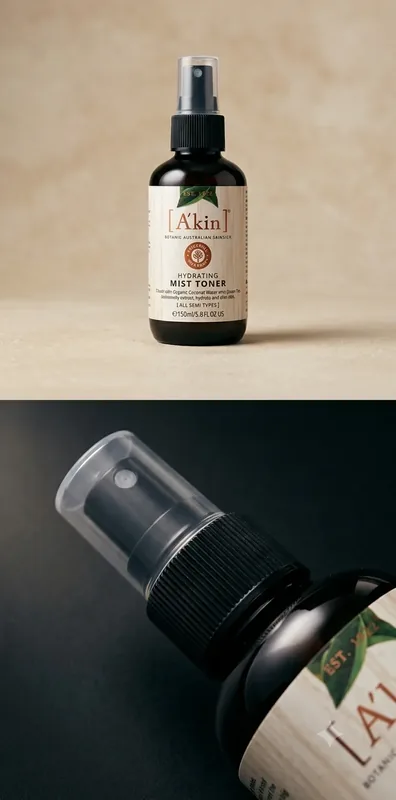
Example output for Premium Product Photography: 2-Stack Grid
The Prompt
premium-product-photography-2-stack-grid.md
Use the uploaded reference as the exact product. Create a premium **2-STACK GRID** - two independent **1:1** posts stacked in one **1:2** master:

**[ SQUARE POST 01 ]**
**[ SQUARE POST 02 ]**

Equal width, fully filled, vertical stack (not horizontal linked). No 2×2/collage, borders, gutters, or empty panels. Preserve shape, packaging, logo, label, type, colors, materials, proportions, closures, existing print. No redesign.

### POST 01 - HERO COMMERCIAL
Studio hero. 85mm, ~f/4, product height, slight low 5–10°, premium negative space. Softbox ~45° left + soft fill right + controlled rear rim + gentle contact shadow. Minimal studio with subtle tonal depth - luxury advertising realism.

### POST 02 - DETAIL / TEXTURE
Different treatment - not a crop of Post 01. 100mm macro, ~f/5.6, slightly above, tight on the most important physical detail (texture, label, edge, cap, reflections). Narrow side strip light, controlled speculars, negative fill, shaped reflections on gloss. Darker sophisticated surface, shallow separation.

### RULES
Change lens, distance, height, angle, framing, light, background, DOF between posts. Materials respond truthfully (gloss / matte / transparent). Optional text OFF by default; if supplied, exact only. No unrequested typography, borders, watermarks.
Negative prompt
Included when you copy the prompt
text, watermarks, signature, logo alterations, distorted proportions, low resolution, blur, compression artifacts
Replace every {{variable}} with your own details before running the prompt.
Collection: AI Grid Prompts for Product & Fashion Photography
Examples
Example input
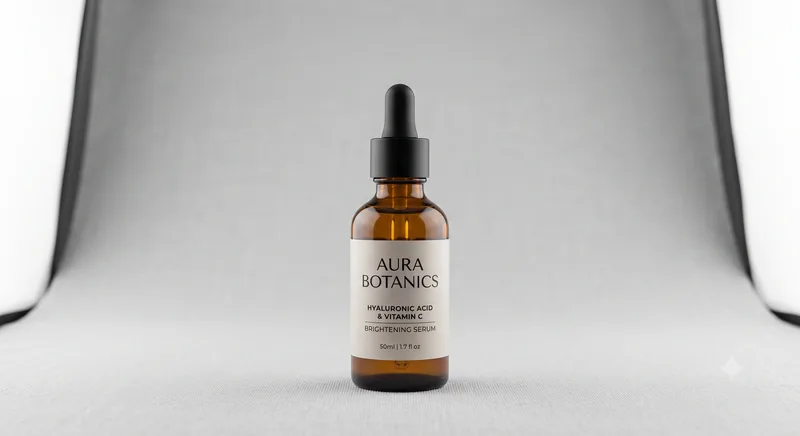
Upload any product, clothing, or reference photo.
What you should get
A photorealistic commercial campaign of the uploaded reference image rendered in Premium Product Photography: 2-Stack Grid.

How to use this AI photo prompt
- Upload a clear reference photo of your face (well-lit, front-facing works best).
- Fill any placeholders on this page, then tap Copy Prompt.
- Paste into ChatGPT (also works with Gemini, Flux) and generate.
- Keep your face locked - only wardrobe, pose, and scene should change.
Privacy: Upload your photo inside ChatGPT, Gemini, or your AI tool — not on this site. We don't store your photos.
Works best with ChatGPT / Gemini / Flux
Identity-preserving image-to-image prompts need a strong face reference. Avoid heavy beauty filters on the upload and use the negative prompt when your tool supports it.
Tips for better product photography results
- Match the example aspect ratio when your tool allows it (often 4:5 for portraits).
- If the face drifts, re-upload a sharper photo and keep the same prompt text.
- Copy related product photography prompts below to try alternate looks with the same identity lock.
When to use this prompt
Use it when
- You have an uploaded product or fashion reference image
- You want to generate multi-frame cinematic grids (2, 3, or 4 panels)
- You need high-end studio lighting and commercial photography
Skip it when
- You only need a one-line ask with no constraints, format, or context.
- You want a modern digital look or heavy filter effect instead of the era/style this prompt targets.
How to get a good result
Done when
A photorealistic commercial campaign of the uploaded reference image rendered in Premium Product Photography: 2-Stack Grid.
Common mistakes
- Pasting without replacing {{placeholders}} or bracketed blanks.
- Asking ChatGPT, Gemini, Flux, Midjourney, or Stable Diffusion for a shorter answer after a long structured prompt - that throws away the format rules.
- Stopping when the first draft appears instead of checking it against the success criteria below.
FAQ
- Which AI tools is this prompt written for?
- It works best with ChatGPT, Gemini, Flux, Midjourney, Stable Diffusion. Copy the filled prompt and paste it into the tool you already use.
- What should a good result look like?
- A photorealistic commercial campaign of the uploaded reference image rendered in Premium Product Photography: 2-Stack Grid.
- What are common mistakes with this prompt?
- Pasting without replacing {{placeholders}} or bracketed blanks. Asking ChatGPT, Gemini, Flux, Midjourney, or Stable Diffusion for a shorter answer after a long structured prompt - that throws away the format rules. Stopping when the first draft appears instead of checking it against the success criteria below.
Best for
- Commercial product & fashion photography campaigns
- Multi-frame cinematic grid generation from single reference image
- Advertising posters, e-commerce, and Instagram grids
Related Prompts
More prompts like this — same topic and style.


