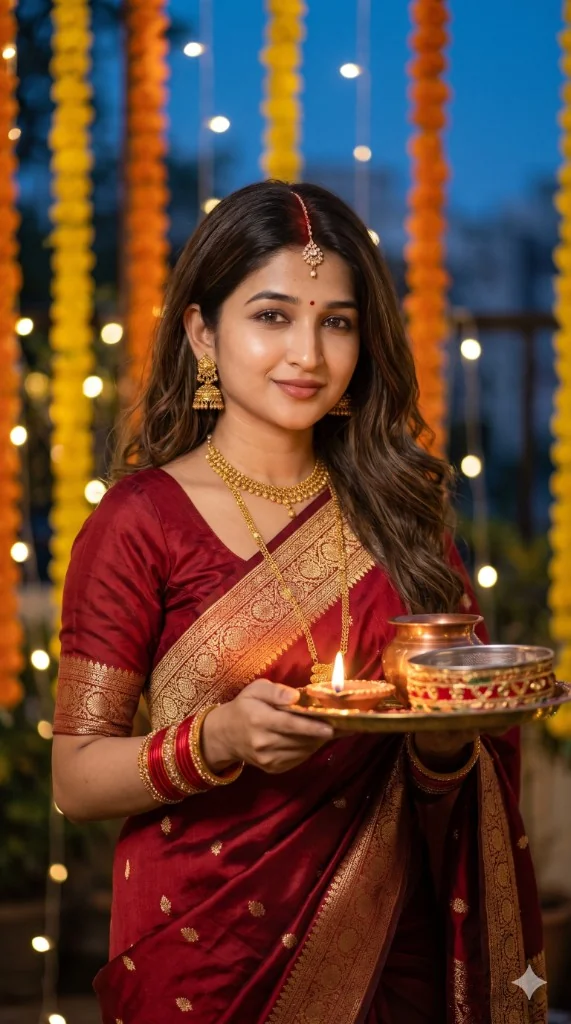
Navratri Instagram Reel and WhatsApp Status AI Prompts 2026
Navratri AI prompts for Instagram Reels, WhatsApp Status and profile photos — correct ratios, carousel ideas and face-safe vertical compositions.

Navratri Instagram Reel & WhatsApp Status AI Prompts (2026)
A great Navratri outfit prompt can still fail if the crop is wrong for the app.
A 4:5 chaniya portrait may look perfect on the feed and weak as a Reel cover. A dark night Garba frame may look cinematic on desktop and disappear on WhatsApp.
This guide starts from the destination — Reel, Status, feed, profile — then chooses the prompt.
Decide ratio before clothing
| Destination | Ratio | Framing priority | |-------------|-------|------------------| | Instagram feed | 4:5 | Face + outfit balance | | Reel / Story / Status | 9:16 | Vertical hero, face lit for mobile | | Profile picture | 1:1 | Face large, simple background | | Festival greeting design | 4:5 | Empty space for text later |
Copy-ready Reel still prompt
```text Use my photo ONLY for facial identity. Keep my exact face sharp and well lit for mobile video.
Create a vertical 9:16 Navratri Reel still of the same person in bright festive Gujarati clothing at a night Garba venue. Subject centred, face clearly illuminated, warm bokeh lights behind. Natural skin texture. No text, no watermark, no logos. ```
Copy-ready WhatsApp Status prompt
```text Use my photo ONLY for identity. Keep my exact face.
Create a vertical 9:16 Navratri Status portrait with a clean festive look, soft background lights, and a friendly natural expression. Face large enough for phone viewing. Natural skin. No text overlay. ```
High-performing Status / Reel concepts
- Garba entry frame
- Dandiya beat frame
- Temple Status close-up
- Festive face close-up
- Carousel frame 1 — wide environmental
- Carousel frame 2 — closer portrait
- Carousel frame 3 — detail / embroidery
- Classic Instagram 4:5
- Men’s 1:1 profile
- Greeting layout with negative space
The carousel method (high share potential)
Instead of one random generate, create three images from the same outfit and lighting direction:
- Wide scene
- Portrait
- Detail
It reads like a real photoshoot and holds attention longer in feeds.
Do not ask AI to write festival text
Leave negative space and add “Shubh Navratri” in Canva. AI typography still produces spelling and design errors.
Mobile lighting reality check
If a night image looks rich on your laptop but dull on WhatsApp:
- increase face key light in the prompt
- avoid heavy underexposure
- keep contrast natural, not crushed
Related
FAQ
Can one prompt work for both Reel and feed?
You can reuse outfit language, but regenerate with the correct ratio rather than awkwardly cropping later.
What is the biggest Reel still mistake?
Tiny face + busy background. Centre the subject and light the face.
Should Status prompts include friends in the background?
Only as soft blur. Hard extra faces create identity/headcount problems.