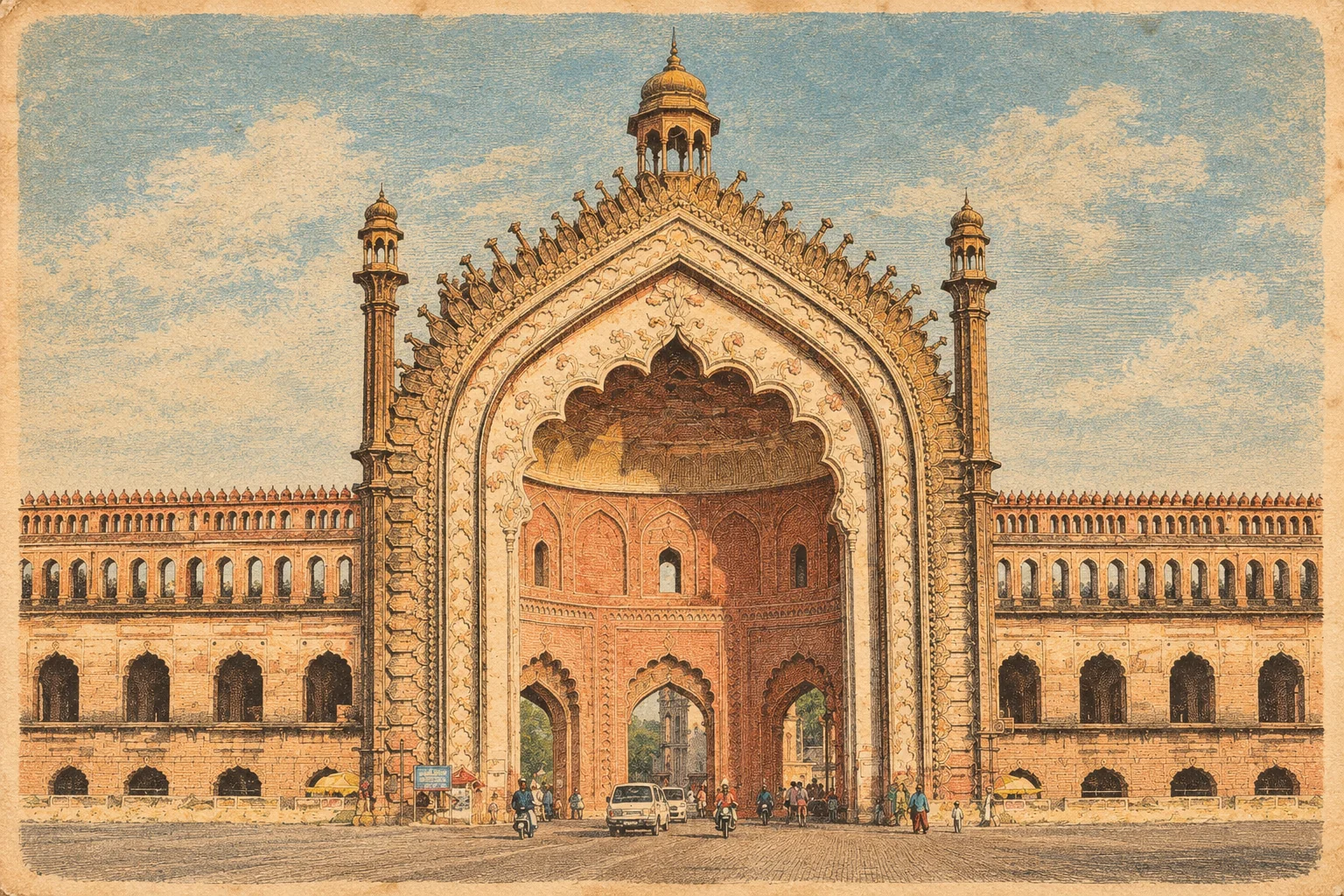

Vintage Architecture Print
Vintage Architectural Engraving Transformation AI Photo Prompt



Transform any architectural photograph into a detailed 19th-century copperplate engraving while preserving the original structure, perspective, and composition. Choose line thickness and ink colour.
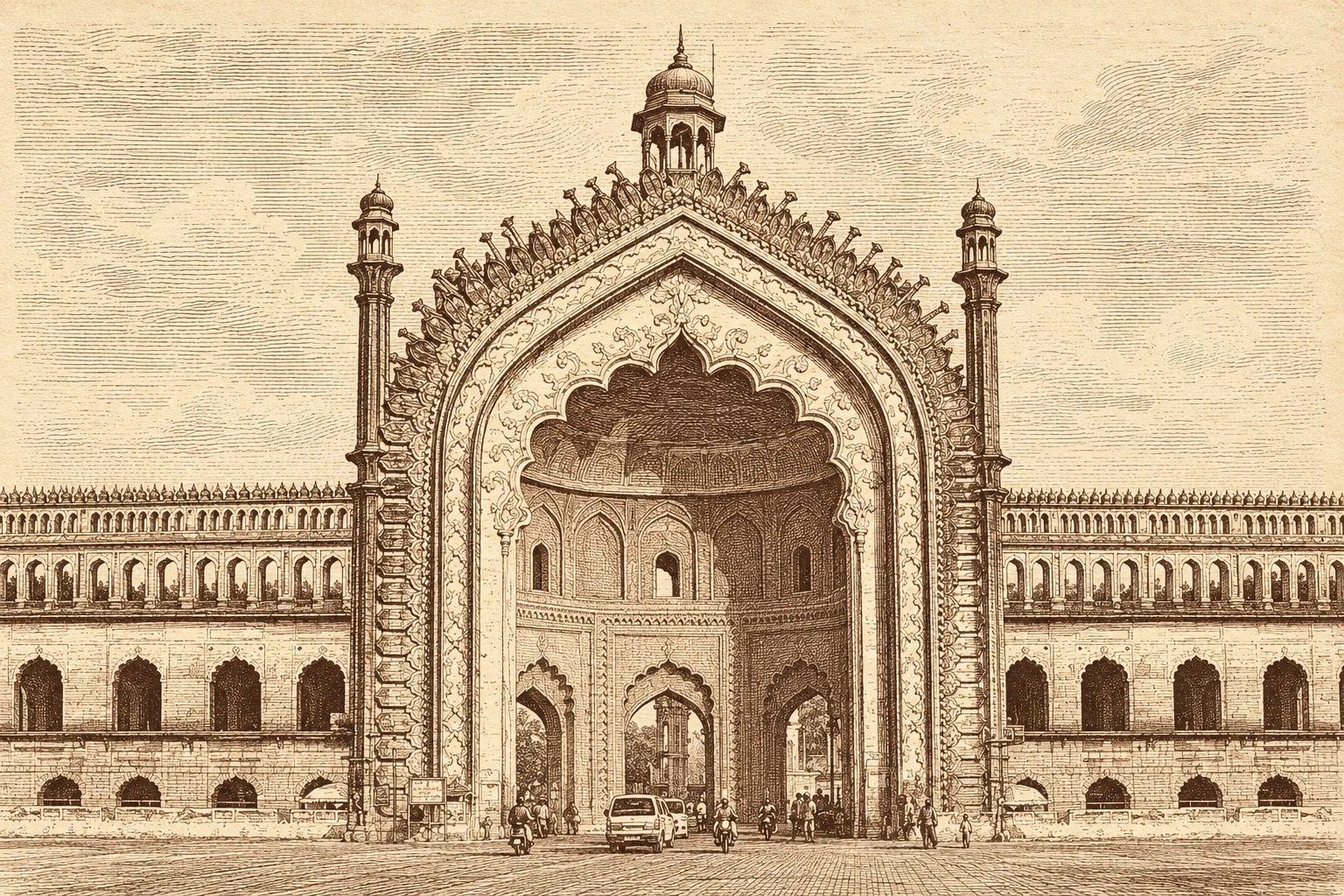
Example output — Vintage Architectural Engraving
The Prompt
vintage-architectural-engraving.md
Transform the uploaded image into a highly detailed vintage architectural engraving while preserving the original image's identity, composition, architecture, landmarks, proportions, perspective, and recognizable structural details.

IMPORTANT:
The uploaded image is the SOURCE IMAGE.
Do not redesign the scene.
Do not replace the buildings.
Do not invent a different city.
Do not change the camera angle or overall composition.
Do not rearrange the major objects.
The goal is to convert the EXISTING IMAGE into the visual language of an antique architectural engraving.

LINE WEIGHT CONTROL:
Use {{line_thickness}} engraving linework throughout the image.
Keep line weight consistent with that choice across buildings, windows, shadows, roads, trees, sky, and water.
Do not mix ultra-thin hairlines with heavy poster outlines in the same print unless the chosen thickness requires denser hatching for shadow only.

INK COLOUR CONTROL:
Render the engraving in {{ink_colour}} ink on warm ivory / aged cream paper.
Keep the print monochromatic — only that ink colour plus paper tone. No modern photographic colours.

STYLE TRANSFORMATION:

Convert the entire image into a traditional 19th-century copperplate engraving / architectural etching.

Use extremely fine hand-drawn ink lines, delicate contour work, architectural linework, cross-hatching, stippling, and engraved shading — scaled to the chosen {{line_thickness}}.

All photographic surfaces should be translated into engraved linework:
- buildings → detailed architectural line drawings
- windows → fine repetitive engraved lines
- shadows → dense cross-hatching
- roads → delicate perspective lines
- trees → fine organic engraved strokes
- sky → subtle engraved texture
- water → fine horizontal and curved engraved lines
- vehicles and small objects → simplified but recognizable engraved forms

PRESERVE FROM THE SOURCE IMAGE:

Preserve the exact identity and recognizable appearance of the architecture.
Preserve the original building shapes.
Preserve the relative scale of objects.
Preserve the original perspective.
Preserve the major foreground, middle-ground, and background elements.
Preserve the important architectural details.
Preserve the overall visual structure and spatial relationships.

Do NOT make the image look like a generic vintage city illustration.

COLOR AND PRINT:

Convert the image to a monochromatic antique print.

Use {{ink_colour}} engraving ink on warm ivory / aged cream paper.

Approximate visual palette:
- antique ivory paper background
- {{ink_colour}} ink
- subtle variations in ink density

No modern colors.
No blue sky.
No green vegetation.
No photographic colors.

ENGRAVING QUALITY:

Linework matches {{line_thickness}}.
Fine variable line weight within that range.
Dense architectural hatching where shadows fall.
Delicate cross-hatching.
Fine stippling.
Traditional copperplate engraving texture.
Hand-printed imperfections.
Slight natural ink variation.
Detailed but elegant.

The final result should look as though the ORIGINAL SOURCE IMAGE was manually redrawn by a highly skilled 19th-century architectural engraver.

DEPTH:

Do not use modern digital gradients or realistic photographic shadows.

Create depth using:
- line density
- cross-hatching
- stippling
- overlapping contours
- architectural perspective
- darker engraved areas for deeper shadows

COMPOSITION:

Keep the original composition and framing of the uploaded image.

Do not crop important elements.
Do not add large new landmarks.
Do not remove recognizable structures.
Do not significantly alter the proportions.

The result should feel like the same photograph/image transformed into an antique architectural engraving.

FINAL AESTHETIC:

Luxury heritage architectural print.
Antique city engraving.
19th-century architectural atlas.
Copperplate etching.
Museum-quality linework.
Highly intricate.
Sophisticated.
Timeless.
Dense fine-detail illustration.

AVOID:

photorealism,
3D rendering,
digital painting,
watercolor,
cartoon,
comic style,
flat vector art,
modern poster design,
AI-looking linework,
thick cartoon outlines,
heavy black shapes,
unnecessary objects,
invented architecture,
changed perspective,
changed building identity,
text,
labels,
logos,
watermarks.
Negative prompt
Included when you copy the prompt
photorealism, 3D rendering, digital painting, watercolor, cartoon, comic style, flat vector art, modern poster design, AI-looking linework, thick cartoon outlines, heavy black shapes, unnecessary objects, invented architecture, changed perspective, changed building identity, different city, redesigned buildings, blue sky, green vegetation, photographic colors, modern colors, digital gradients, text, labels, logos, watermarks
Fill in your details below - this prompt updates as you type, then copy it.
Fill in your details
0 of 2 filled. Preview updates as you type - then copy the finished prompt (negative prompt included when present).
vintage-architectural-engraving.md
Prompt preview
Transform the uploaded image into a highly detailed vintage architectural engraving while preserving the original image's identity, composition, architecture, landmarks, proportions, perspective, and recognizable structural details.

IMPORTANT:
The uploaded image is the SOURCE IMAGE.
Do not redesign the scene.
Do not replace the buildings.
Do not invent a different city.
Do not change the camera angle or overall composition.
Do not rearrange the major objects.
The goal is to convert the EXISTING IMAGE into the visual language of an antique architectural engraving.

LINE WEIGHT CONTROL:
Use {{line_thickness}} engraving linework throughout the image.
Keep line weight consistent with that choice across buildings, windows, shadows, roads, trees, sky, and water.
Do not mix ultra-thin hairlines with heavy poster outlines in the same print unless the chosen thickness requires denser hatching for shadow only.

INK COLOUR CONTROL:
Render the engraving in {{ink_colour}} ink on warm ivory / aged cream paper.
Keep the print monochromatic — only that ink colour plus paper tone. No modern photographic colours.

STYLE TRANSFORMATION:

Convert the entire image into a traditional 19th-century copperplate engraving / architectural etching.

Use extremely fine hand-drawn ink lines, delicate contour work, architectural linework, cross-hatching, stippling, and engraved shading — scaled to the chosen {{line_thickness}}.

All photographic surfaces should be translated into engraved linework:
- buildings → detailed architectural line drawings
- windows → fine repetitive engraved lines
- shadows → dense cross-hatching
- roads → delicate perspective lines
- trees → fine organic engraved strokes
- sky → subtle engraved texture
- water → fine horizontal and curved engraved lines
- vehicles and small objects → simplified but recognizable engraved forms

PRESERVE FROM THE SOURCE IMAGE:

Preserve the exact identity and recognizable appearance of the architecture.
Preserve the original building shapes.
Preserve the relative scale of objects.
Preserve the original perspective.
Preserve the major foreground, middle-ground, and background elements.
Preserve the important architectural details.
Preserve the overall visual structure and spatial relationships.

Do NOT make the image look like a generic vintage city illustration.

COLOR AND PRINT:

Convert the image to a monochromatic antique print.

Use {{ink_colour}} engraving ink on warm ivory / aged cream paper.

Approximate visual palette:
- antique ivory paper background
- {{ink_colour}} ink
- subtle variations in ink density

No modern colors.
No blue sky.
No green vegetation.
No photographic colors.

ENGRAVING QUALITY:

Linework matches {{line_thickness}}.
Fine variable line weight within that range.
Dense architectural hatching where shadows fall.
Delicate cross-hatching.
Fine stippling.
Traditional copperplate engraving texture.
Hand-printed imperfections.
Slight natural ink variation.
Detailed but elegant.

The final result should look as though the ORIGINAL SOURCE IMAGE was manually redrawn by a highly skilled 19th-century architectural engraver.

DEPTH:

Do not use modern digital gradients or realistic photographic shadows.

Create depth using:
- line density
- cross-hatching
- stippling
- overlapping contours
- architectural perspective
- darker engraved areas for deeper shadows

COMPOSITION:

Keep the original composition and framing of the uploaded image.

Do not crop important elements.
Do not add large new landmarks.
Do not remove recognizable structures.
Do not significantly alter the proportions.

The result should feel like the same photograph/image transformed into an antique architectural engraving.

FINAL AESTHETIC:

Luxury heritage architectural print.
Antique city engraving.
19th-century architectural atlas.
Copperplate etching.
Museum-quality linework.
Highly intricate.
Sophisticated.
Timeless.
Dense fine-detail illustration.

AVOID:

photorealism,
3D rendering,
digital painting,
watercolor,
cartoon,
comic style,
flat vector art,
modern poster design,
AI-looking linework,
thick cartoon outlines,
heavy black shapes,
unnecessary objects,
invented architecture,
changed perspective,
changed building identity,
text,
labels,
logos,
watermarks.
Collection: Vintage Architecture Print
Examples
Example input
Upload a clear architectural city or landmark photo. Line thickness: fine copperplate. Ink colour: muted reddish-brown.
What you should get
The same buildings, perspective, and composition redrawn as a monochromatic 19th-century copperplate engraving on ivory paper, with the chosen line thickness and ink colour — not a new fictional city.
How to use this AI photo prompt
- Upload a clear reference photo of your face (well-lit, front-facing works best).
- Fill any placeholders on this page, then tap Copy Prompt.
- Paste into Meta AI (also works with ChatGPT, Gemini) and generate.
- Keep your face locked - only wardrobe, pose, and scene should change.
Works best with Meta AI / ChatGPT / Gemini
Identity-preserving image-to-image prompts need a strong face reference. Avoid heavy beauty filters on the upload and use the negative prompt when your tool supports it.
Tips for better vintage architecture print results
- Match the example aspect ratio when your tool allows it (often 4:5 for portraits).
- If the face drifts, re-upload a sharper photo and keep the same prompt text.
- Copy related vintage architecture print prompts below to try alternate looks with the same identity lock.
When to use this prompt
Use it when
- You have an architecture or city photo and want a museum-style engraving
- You want to pick how fine the lines are and which antique ink colour to use
Skip it when
- Text-only generation with no photo to transform
- You want a colourful illustrated poster or photoreal painting instead of a print
How to get a good result
Done when
Someone who knows the source photo still recognizes the same buildings and viewpoint, now as an antique engraving in the chosen ink and line weight.
Common mistakes
- Leaving line_thickness or ink_colour blank so the model invents a random print look.
- Using a blurry or cropped photo where landmarks are unreadable — the engraving cannot preserve what is not in the source.
- Asking for blue sky or colour after the prompt — that fights the monochromatic print rule.
FAQ
- What do I fill in before I copy this prompt?
- Replace these placeholders with your details: line_thickness, ink_colour. Required fields are marked on the page. The prompt text updates as you type.
- Which AI tools is this prompt written for?
- It works best with Meta AI, ChatGPT, Gemini, Midjourney. Copy the filled prompt and paste it into the tool you already use.
- What should a good result look like?
- Someone who knows the source photo still recognizes the same buildings and viewpoint, now as an antique engraving in the chosen ink and line weight.
- What are common mistakes with this prompt?
- Leaving line_thickness or ink_colour blank so the model invents a random print look. Using a blurry or cropped photo where landmarks are unreadable — the engraving cannot preserve what is not in the source. Asking for blue sky or colour after the prompt — that fights the monochromatic print rule.
Best for
- Architecture photos
- City skyline transforms
- Heritage print looks
- Travel landmark edits
Related Prompts
More prompts like this — same topic and style.