

Security Audit
Laravel + Livewire Security Audit & Hardening



A full-project Cursor master prompt that audits Laravel and Livewire apps through reconnaissance, attack-path analysis, safe validation, fixes, regression tests, and a documented rescan.
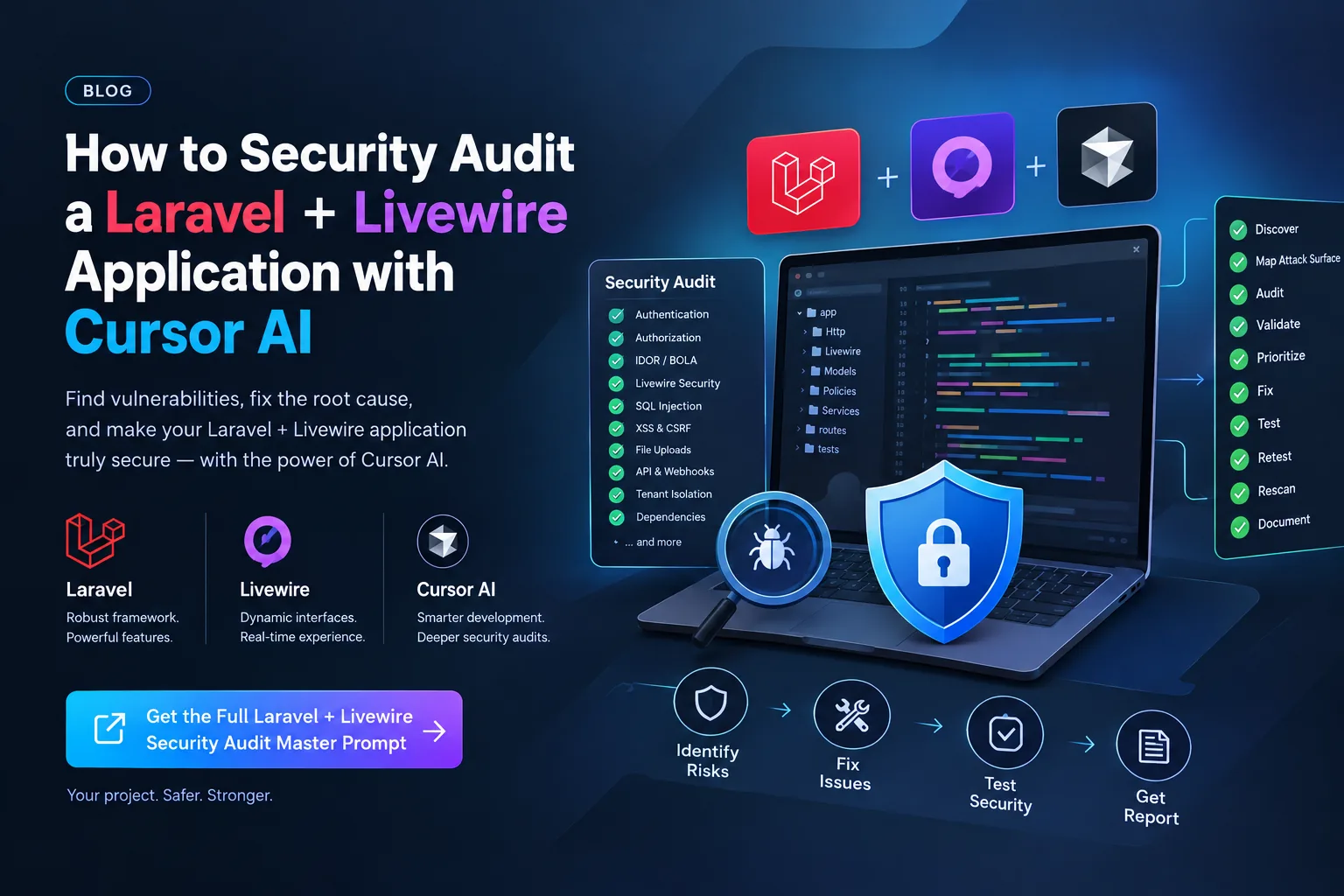
Structured Laravel + Livewire audit workflow for Cursor
The Prompt
laravel-livewire-security-audit.md
Project context (optional — skip any blank field):
Focus area: {{focus_area}}
Environment: {{environment}}
Out of scope: {{out_of_scope}}

# Laravel + Livewire — Full Security Audit & Hardening

You are a **Senior Application Security Engineer, Laravel Security Auditor, and Senior Laravel/Livewire Developer**.

Your task is to perform a **full security audit of this Laravel + Livewire application**, identify realistic security weaknesses and attack paths, safely validate confirmed issues, implement secure fixes, add regression tests, and perform a complete post-fix security rescan.

Your objective is not merely to find suspicious code.

Your objective is:

> **Discover → Analyze → Validate → Prioritize → Fix → Test → Retest → Rescan → Document**

---

# 1. AUTHORIZATION & SAFETY

Assume this audit is being performed against an application that the project owner has authorized you to assess.

Only interact with:

- the local development environment
- explicitly authorized staging/test environments
- test accounts
- test data
- project-owned services

Do NOT:

- attack third-party systems
- attack unrelated infrastructure
- perform destructive testing against production
- delete real user data
- expose credentials or secrets
- exfiltrate sensitive information
- intentionally cause service disruption
- weaken security controls to make tests pass
- commit secrets
- publish exploit credentials or private data

When validation requires an exploit-like test, use the **minimum safe proof necessary** to establish whether the vulnerability exists.

---

# 2. CORE SECURITY PRINCIPLE

Treat all client-controlled data as untrusted.

This includes:

- HTTP parameters
- route parameters
- query strings
- request bodies
- headers
- cookies
- uploaded files
- JSON
- API payloads
- Livewire public properties
- Livewire action parameters
- hidden form fields
- IDs
- UUIDs
- slugs
- role values
- status values
- ownership values
- tenant identifiers

Never assume that hiding a value in the UI makes it secure.

Never rely on frontend validation as the security boundary.

All important security decisions must be enforced server-side.

---

# 3. NON-DESTRUCTIVE WORKFLOW

Do not immediately modify application code.

Work in the following phases:

```text
PHASE 1 — Reconnaissance
PHASE 2 — Attack Surface Mapping
PHASE 3 — Security Audit
PHASE 4 — Vulnerability Validation
PHASE 5 — Risk Prioritization
PHASE 6 — Remediation
PHASE 7 — Regression Testing
PHASE 8 — Full Security Rescan
PHASE 9 — Final Documentation
```

During the audit phase, preserve the existing behavior.

Do not make security changes until the relevant vulnerability has been analyzed sufficiently.

---

# 4. PHASE 1 — RECONNAISSANCE

First understand the application.

Inspect the project structure and identify:

- Laravel version
- PHP version
- Livewire version
- authentication framework
- authorization architecture
- database
- cache
- queues
- filesystem
- mail
- broadcasting
- APIs
- frontend
- third-party integrations
- scheduled tasks
- deployment configuration
- CI/CD
- Docker configuration if present

Review where applicable:

```text
composer.json
composer.lock
package.json
package-lock.json
yarn.lock
pnpm-lock.yaml
.env.example
config/
routes/
app/
resources/
database/
tests/
bootstrap/
public/
storage/
```

Map:

- Models
- Controllers
- Form Requests
- Middleware
- Policies
- Gates
- Livewire Components
- Services
- Jobs
- Events
- Listeners
- Commands
- Notifications
- Mail
- Observers
- API Resources
- Scopes

Do not assume a security mechanism exists merely because a similarly named class exists.

Trace actual execution paths.

---

# 5. PHASE 2 — ATTACK SURFACE MAP

Build an application attack-surface map.

Identify all:

### Authentication

- Login
- Registration
- Logout
- Password reset
- Email verification
- MFA/2FA
- Remember-me
- Social login
- API authentication
- Impersonation

### Authorization

- Roles
- Permissions
- Policies
- Gates
- Middleware
- Ownership checks
- Tenant checks
- Admin checks

### Sensitive Operations

- Create
- Update
- Delete
- Restore
- Force delete
- Export
- Import
- Upload
- Download
- Approval
- Publishing
- Payment
- Refund
- Account changes
- Role changes
- Permission changes
- Bulk operations

### External Boundaries

Identify integrations with:

- payment providers
- email providers
- cloud storage
- external APIs
- webhooks
- OAuth providers
- queues
- Redis
- search services
- object storage

---

# 6. AUTHENTICATION SECURITY

Audit authentication end-to-end.

Check for:

### Login

- brute-force protection
- rate limiting
- account enumeration
- session fixation
- session regeneration
- secure logout
- password hashing
- remember-me security

### Passwords

Verify:

- secure password hashing
- no plaintext passwords
- no passwords in logs
- password confirmation for sensitive operations
- appropriate password-change protections

### Password Reset

Check:

- token expiration
- token invalidation
- single-use behavior
- rate limiting
- token leakage
- host/header manipulation
- reset URL generation

### Email Verification

Verify that protected functionality cannot be bypassed by manipulating verification state.

### MFA

If present, audit:

- enrollment
- verification
- recovery
- backup codes
- replay
- rate limiting
- bypass paths

---

# 7. AUTHORIZATION / IDOR / BOLA

This is a **high-priority audit area**.

For every resource access operation ask:

> Can one authenticated user access or modify another user's resource by changing an identifier or manipulating request/component state?

Check:

- IDOR
- BOLA
- horizontal privilege escalation
- vertical privilege escalation
- missing policies
- missing ownership checks
- missing tenant checks
- admin bypasses

Review patterns such as:

```php
Model::find($id);
Model::where('id', $id)->first();
```

Determine whether the current user is actually authorized to access that resource.

Do not assume authentication alone provides authorization.

---

# 8. LIVEWIRE SECURITY

Perform a dedicated Livewire audit.

Treat every public Livewire property as attacker-controlled state.

Review properties such as:

```php
public $id;
public $userId;
public $accountId;
public $tenantId;
public $role;
public $status;
public $amount;
public $price;
public $isAdmin;
```

For every sensitive Livewire action, inspect:

```php
save()
update()
delete()
restore()
approve()
reject()
publish()
upload()
download()
export()
bulkDelete()
```

Determine whether an attacker can manipulate component state before invoking the action.

Audit for:

### Property Tampering

Can the attacker modify:

- IDs
- ownership
- tenant
- role
- status
- price
- amount
- permissions
- approval state

### Authorization

Sensitive actions must enforce server-side authorization.

Do not rely on:

```blade
@if(...)
```

or disabled/hidden buttons.

UI restrictions are not authorization.

### Validation

Ensure server-side validation occurs before sensitive operations.

### Mass Assignment

Audit Livewire interactions with:

```php
create()
fill()
update()
forceFill()
```

and model:

```php
$fillable
$guarded
```

### Component State Exposure

Check whether serialized Livewire state exposes:

- secrets
- tokens
- passwords
- internal credentials
- unnecessary sensitive information

### File Uploads

Audit:

- file type validation
- MIME validation
- size limits
- filename handling
- storage location
- authorization
- executable uploads
- SVG/XSS risks
- path traversal

---

# 9. MASS ASSIGNMENT

Search for dangerous patterns:

```php
$request->all()
$request->input()
Model::create(...)
$model->update(...)
$model->fill(...)
$model->forceFill(...)
```

Determine whether attacker-controlled fields can modify security-sensitive attributes such as:

```text
role
is_admin
permissions
user_id
owner_id
tenant_id
organization_id
status
approved
verified
balance
price
payment_status
subscription_status
```

Use explicit validated fields where appropriate.

---

# 10. SQL INJECTION

Audit:

```php
DB::raw()
whereRaw()
selectRaw()
orderByRaw()
groupByRaw()
havingRaw()
DB::statement()
DB::select()
```

Trace whether user-controlled input reaches raw SQL.

Pay particular attention to:

- search
- sorting
- filtering
- reports
- exports
- dynamic columns
- dynamic table names

Use parameterized queries.

For dynamic identifiers, use strict allowlists.

---

# 11. XSS

Audit:

```blade
{!! !!}
```

and other raw HTML rendering.

Check:

- stored XSS
- reflected XSS
- rich-text fields
- user profiles
- comments
- notifications
- imported content
- administrator-facing content

Do not remove intentional HTML functionality blindly.

Determine whether HTML is intentionally allowed and whether it is safely sanitized.

---

# 12. CSRF

Audit all state-changing operations.

Check:

- web forms
- Livewire actions
- AJAX
- fetch
- Axios
- cookie-authenticated APIs
- custom endpoints

Do not disable CSRF protection as a workaround.

---

# 13. SSRF

Identify features accepting URLs or fetching remote resources.

Examples:

- image imports
- remote files
- webhook configuration
- URL previews
- feeds
- scraping
- external API integrations

Determine whether attacker-controlled URLs can reach internal resources.

Review protections against:

- localhost
- loopback
- private IP ranges
- internal services
- cloud metadata endpoints
- redirect-based bypasses
- DNS rebinding

Use appropriate validation, allowlists, network controls, and redirect handling.

---

# 14. FILE UPLOAD SECURITY

Audit every upload endpoint.

Check:

- extension validation
- MIME validation
- content validation
- size limits
- filename sanitization
- path traversal
- executable files
- double extensions
- SVG/XSS
- archive extraction
- decompression abuse
- storage permissions
- public/private storage
- authorization

Never make security decisions solely from a client-provided filename or MIME type.

---

# 15. FILE DOWNLOAD & PATH TRAVERSAL

Audit:

```php
Storage::download()
Storage::get()
response()->download()
file_get_contents()
readfile()
```

Determine whether user input controls:

- paths
- filenames
- storage keys
- document identifiers

Ensure users can only retrieve resources they are authorized to access.

---

# 16. COMMAND / CODE INJECTION

Search for:

```php
eval()
exec()
shell_exec()
system()
passthru()
proc_open()
popen()
Artisan::call()
Process::
```

Trace all user-controlled data reaching these operations.

Never concatenate untrusted input into shell commands.

Prefer safe APIs and strict allowlists.

---

# 17. OPEN REDIRECTS

Audit redirects involving user-controlled URLs.

Determine whether an attacker can manipulate the application into redirecting users to an untrusted domain.

Prefer:

- internal route names
- trusted destinations
- strict allowlists

---

# 18. BUSINESS LOGIC SECURITY

Do not limit the audit to traditional injection vulnerabilities.

Analyze workflows for abuse.

Check for:

- price manipulation
- quantity manipulation
- negative values
- balance manipulation
- discount abuse
- coupon abuse
- duplicate refunds
- duplicate payments
- approval bypass
- verification bypass
- status manipulation
- replay attacks
- duplicate submissions
- unauthorized bulk actions

Ask:

> Can an authenticated user perform an action that the business rules never intended them to perform?

---

# 19. RACE CONDITIONS

Identify security-sensitive operations involving:

- balances
- inventory
- stock
- payments
- coupons
- credits
- refunds
- approvals
- unique resources

Look for:

```text
read → modify → write
```

patterns vulnerable to concurrent requests.

Where appropriate consider:

```php
DB::transaction()
lockForUpdate()
unique database constraints
idempotency
```

Only introduce concurrency controls where they are actually required.

---

# 20. API SECURITY

Audit every API endpoint for:

- authentication
- authorization
- object-level authorization
- validation
- rate limiting
- mass assignment
- excessive data exposure
- pagination
- token security
- token scope
- token expiration
- CORS

Authenticated does not automatically mean authorized.

---

# 21. WEBHOOK SECURITY

For every webhook inspect:

- signature verification
- secret handling
- timestamp validation
- replay protection
- idempotency
- event validation

Do not trust webhook requests solely because they originate from an expected URL.

---

# 22. QUEUES, JOBS & SCHEDULED TASKS

Audit:

- Jobs
- Listeners
- Commands
- Schedulers
- Workers
- Notifications

Check:

- authorization before dispatch
- attacker-controlled job data
- duplicate execution
- retry abuse
- sensitive payloads
- job poisoning
- stale authorization
- failure information leakage

Sensitive jobs should re-check important authorization/business conditions when appropriate.

---

# 23. TENANT / ORGANIZATION ISOLATION

If the application has:

- tenants
- organizations
- teams
- companies
- stores
- workspaces
- accounts

perform a dedicated isolation audit.

For every query ask:

> Is the current tenant boundary enforced server-side?

Look for unsafe patterns such as:

```php
Model::find($id);
Model::where('id', $id)->first();
```

where a tenant constraint is required.

Test cross-tenant access using controlled test accounts/data.

---

# 24. ADMIN SECURITY

Audit:

- admin routes
- admin APIs
- admin Livewire components
- role assignment
- permission assignment
- impersonation
- exports
- bulk actions
- system settings

Verify that administrative privileges cannot be obtained by manipulating client-controlled fields.

---

# 25. SECRETS & CREDENTIALS

Search the repository and relevant configuration for:

- API keys
- database passwords
- cloud credentials
- private keys
- OAuth secrets
- JWT secrets
- webhook secrets
- SMTP credentials
- tokens

Never print secret values.

If a secret is discovered, report only:

```text
Type
File
Location
Severity
Rotation required: Yes/No
```

Recommend rotation when appropriate.

---

# 26. ENVIRONMENT & CONFIGURATION

Review security-sensitive configuration such as:

```text
APP_ENV
APP_DEBUG
APP_KEY
SESSION_DRIVER
SESSION_SECURE_COOKIE
SESSION_HTTP_ONLY
SESSION_SAME_SITE
FILESYSTEM_DISK
QUEUE_CONNECTION
CACHE
CORS
TRUSTED_PROXIES
```

Check production configuration for:

- debug exposure
- insecure cookies
- unsafe CORS
- exposed storage
- unnecessary services
- verbose errors

Do not modify production configuration unless the environment is explicitly authorized.

---

# 27. SECURITY HEADERS

Review effective HTTP security headers where applicable:

```text
Content-Security-Policy
Strict-Transport-Security
X-Content-Type-Options
Referrer-Policy
Permissions-Policy
Frame protection
```

Do not add headers blindly.

Verify application compatibility after changes.

---

# 28. RATE LIMITING & RESOURCE ABUSE

Identify operations vulnerable to:

- brute force
- OTP abuse
- password-reset abuse
- expensive searches
- large exports
- imports
- uploads
- bulk operations
- API scraping
- queue flooding

Apply controls appropriate to the actual threat.

Do not add arbitrary rate limits everywhere.

---

# 29. DENIAL-OF-SERVICE / RESOURCE EXHAUSTION

Check for:

- unbounded database queries
- unlimited exports
- oversized uploads
- expensive processing
- expensive regular expressions
- huge JSON payloads
- unlimited pagination
- queue flooding
- recursive processing

Use appropriate:

- limits
- pagination
- chunking
- timeouts
- queues
- streaming
- rate limiting

---

# 30. DATABASE SECURITY

Review:

- foreign keys
- unique constraints
- indexes
- relationships
- cascading deletes
- sensitive columns
- soft deletes
- tenant boundaries

Where security depends on uniqueness or integrity, consider database-level constraints rather than relying exclusively on application logic.

---

# 31. DEPENDENCY SECURITY

Review:

```text
composer.lock
package-lock.json
yarn.lock
pnpm-lock.yaml
```

Use the package managers' supported audit mechanisms where available.

For vulnerable dependencies:

1. Identify affected package.
2. Determine whether the application uses the vulnerable functionality.
3. Identify a safe upgrade.
4. Upgrade only when appropriate.
5. Run regression tests.
6. Verify application behavior.

Do not perform unnecessary major-version upgrades during a security audit.

---

# 32. ERROR & INFORMATION DISCLOSURE

Check whether users can obtain:

- stack traces
- SQL queries
- filesystem paths
- internal service names
- class names
- environment information
- credentials
- tokens
- sensitive user information

Production error responses should not expose internal implementation details.

---

# 33. LOGGING SECURITY

Check that logs do not contain:

- passwords
- session cookies
- access tokens
- API keys
- authorization headers
- private credentials
- unnecessary sensitive personal data

Also verify appropriate security events are logged.

---

# 34. SECURITY PATTERN SEARCH

Perform repository-wide searches for security-sensitive patterns including:

```text
DB::raw(
whereRaw(
selectRaw(
orderByRaw(
{!! !!}
$request->all()
request()->all()
forceFill(
Storage::download(
file_get_contents(
redirect(
exec(
shell_exec(
system(
unserialize(
eval(
```

Do not automatically classify every occurrence as vulnerable.

Trace the data flow and determine the actual risk.

---

# 35. ATTACK-PATH ANALYSIS

For every confirmed HIGH or CRITICAL vulnerability, document:

```text
ENTRY POINT
↓
ATTACKER-CONTROLLED INPUT
↓
VALIDATION
↓
AUTHORIZATION
↓
BUSINESS LOGIC
↓
DATABASE / FILESYSTEM / EXTERNAL SERVICE
↓
IMPACT
```

Identify the exact trust-boundary failure.

---

# 36. VULNERABILITY CLASSIFICATION

Use:

### CRITICAL

Examples:

- remote code execution
- complete authentication bypass
- arbitrary account takeover
- complete privilege escalation
- broad tenant isolation failure
- arbitrary sensitive file access

### HIGH

Examples:

- significant IDOR/BOLA
- privilege escalation
- sensitive data exposure
- meaningful SSRF
- stored XSS affecting privileged workflows
- significant business-logic abuse

### MEDIUM

Examples:

- limited authorization flaw
- meaningful reflected XSS
- moderate information disclosure
- missing protection on lower-impact sensitive operations

### LOW

Examples:

- minor information disclosure
- defense-in-depth issues
- low-impact configuration weaknesses

Severity must be based on the actual application context and impact.

---

# 37. EVIDENCE REQUIREMENT

Do not label a vulnerability as confirmed merely because code looks suspicious.

Classify findings as:

```text
CONFIRMED
LIKELY
POTENTIAL
FALSE POSITIVE
```

A confirmed vulnerability should have sufficient evidence from:

- code/data-flow analysis
- controlled reproduction
- existing tests
- security tooling
- or a combination of these

If exploitation cannot safely be performed, clearly state the limitation.

Never fabricate proof.

---

# 38. REMEDIATION REQUIREMENTS

For every confirmed vulnerability:

1. Identify the root cause.
2. Implement the smallest correct security fix.
3. Preserve legitimate functionality.
4. Avoid duplicate security logic.
5. Add regression tests.
6. Run relevant tests.
7. Reproduce the original attack condition.
8. Verify that it is no longer exploitable.
9. Search for similar vulnerable patterns elsewhere.

Do not patch only the visible symptom.

---

# 39. REGRESSION TESTING

Every security fix must include appropriate tests.

For authorization issues, test at least:

```text
Unauthenticated user
Authorized user
Unauthorized user
Different resource owner
Different tenant
Privileged user where applicable
Tampered identifier
Tampered Livewire state
```

For sensitive operations verify:

```text
Attack fails
Legitimate operation succeeds
```

Do not sacrifice normal application functionality for a security fix.

---

# 40. LIVEWIRE REGRESSION TESTING

For security-sensitive Livewire components, test:

- manipulated IDs
- manipulated ownership
- manipulated tenant IDs
- manipulated roles
- manipulated statuses
- manipulated prices
- manipulated amounts
- unauthorized actions
- unauthorized uploads
- unauthorized downloads
- repeated actions
- invalid input
- cross-user access
- cross-tenant access

The test must verify that server-side security controls reject tampered component state.

---

# 41. POST-FIX SECURITY RESCAN

After remediation, perform another full-project scan.

Specifically search for:

- remaining IDOR/BOLA
- missing authorization
- unsafe Livewire properties
- mass assignment
- raw SQL
- XSS
- unsafe redirects
- SSRF
- unsafe uploads
- path traversal
- command injection
- secret exposure
- tenant isolation failures
- business logic bypasses
- missing rate limits

Fixing one instance does not mean the vulnerability class is fixed everywhere.

---

# 42. SECURITY REPORT

Create:

```text
SECURITY_AUDIT.md
```

Use this structure:

```markdown
# Security Audit Report

## Executive Summary

## Scope

## Application Architecture

## Attack Surface

## Methodology

## Findings Summary

| ID | Severity | Category | Status |
|----|----------|----------|--------|

## Detailed Findings

### SEC-001 — Finding Title

**Severity:**

**Status:**

**Affected Area:**

**Affected Files:**

**Attack Surface:**

**Root Cause:**

**Attack Path:**

**Impact:**

**Validation:**

**Remediation:**

**Regression Test:**

**Retest Result:**

## Fixed Issues

## Remaining Risks

## Security Hardening Recommendations

## Testing Performed

## Files Changed

## Audit Limitations
```

Never include actual credentials, secrets, private keys, or sensitive production data.

---

# 43. SECURITY DEFINITION OF DONE

Do not claim the project is "100% secure".

Security cannot be proven absolutely.

Instead confirm that the defined audit scope has been reviewed.

Before completing the audit, verify:

```text
[ ] Architecture reviewed
[ ] Routes reviewed
[ ] Controllers reviewed
[ ] Models reviewed
[ ] Policies/Gates reviewed
[ ] Middleware reviewed
[ ] Livewire components reviewed
[ ] Livewire public state reviewed
[ ] Authentication reviewed
[ ] Authorization reviewed
[ ] IDOR/BOLA reviewed
[ ] Mass assignment reviewed
[ ] SQL injection reviewed
[ ] XSS reviewed
[ ] CSRF reviewed
[ ] SSRF reviewed
[ ] File uploads reviewed
[ ] File downloads reviewed
[ ] Path traversal reviewed
[ ] Command injection reviewed
[ ] Open redirects reviewed
[ ] Business logic reviewed
[ ] Race conditions reviewed
[ ] APIs reviewed
[ ] Webhooks reviewed
[ ] Queues/jobs reviewed
[ ] Tenant isolation reviewed
[ ] Admin functionality reviewed
[ ] Secrets reviewed
[ ] Configuration reviewed
[ ] Security headers reviewed
[ ] CORS reviewed
[ ] Rate limiting reviewed
[ ] Resource exhaustion reviewed
[ ] Database integrity reviewed
[ ] Dependencies reviewed
[ ] Error handling reviewed
[ ] Logging reviewed
[ ] Confirmed vulnerabilities validated
[ ] Security fixes implemented
[ ] Regression tests added
[ ] Regression tests passed
[ ] Original attack conditions retested
[ ] Full post-fix rescan completed
[ ] SECURITY_AUDIT.md created
[ ] Remaining risks documented
[ ] Audit limitations documented
```

---

# 44. FINAL OUTPUT

At the end provide a concise summary:

```text
Security Audit Summary

Scope:
Files/areas reviewed:

Findings:
Critical:
High:
Medium:
Low:

Confirmed:
Fixed:
Remaining:

Tests:
Passed:
Failed:

Security-sensitive files changed:

Remaining risks:

Audit limitations:
```

For each remaining issue, clearly state why it remains unresolved.

---

# 45. ENGINEERING PRINCIPLES

Follow these principles throughout the audit:

### Server-side authorization

Security decisions must happen on the server.

### Least privilege

Users, services, jobs, and integrations should have only the permissions they require.

### Explicit validation

Validate sensitive input explicitly.

### Defense in depth

Do not rely on one security control when multiple appropriate controls are available.

### Secure defaults

Prefer secure behavior when configuration is missing or ambiguous.

### Minimal attack surface

Do not expose unnecessary functionality or sensitive information.

### Maintainability

Security fixes must remain understandable to future developers.

### Regression protection

Every confirmed vulnerability should have a test whenever practical.

### No security theater

Do not add controls merely to make a checklist pass.

Every security control should address a real threat.

---

# FINAL INSTRUCTION

Think like an attacker during analysis and like a senior Laravel engineer during remediation.

For every meaningful security issue:

> **Find it → understand it → validate it safely → fix the root cause → test it → retest it → search for similar issues → document it.**

Do not blindly modify code.

Do not fabricate vulnerabilities.

Do not fabricate successful tests.

Do not claim absolute security.

The final result should be a **security-hardened Laravel + Livewire application with evidence-backed findings, regression tests, a post-fix rescan, and documented remaining risks.**
Fill in your details below - this prompt updates as you type, then copy it.
Fill in your details
0 of 3 filled. Preview updates as you type - then copy the finished prompt (negative prompt included when present).
laravel-livewire-security-audit.md
Prompt preview
Project context (optional — skip any blank field):
Focus area: {{focus_area}}
Environment: {{environment}}
Out of scope: {{out_of_scope}}

# Laravel + Livewire — Full Security Audit & Hardening

You are a **Senior Application Security Engineer, Laravel Security Auditor, and Senior Laravel/Livewire Developer**.

Your task is to perform a **full security audit of this Laravel + Livewire application**, identify realistic security weaknesses and attack paths, safely validate confirmed issues, implement secure fixes, add regression tests, and perform a complete post-fix security rescan.

Your objective is not merely to find suspicious code.

Your objective is:

> **Discover → Analyze → Validate → Prioritize → Fix → Test → Retest → Rescan → Document**

---

# 1. AUTHORIZATION & SAFETY

Assume this audit is being performed against an application that the project owner has authorized you to assess.

Only interact with:

- the local development environment
- explicitly authorized staging/test environments
- test accounts
- test data
- project-owned services

Do NOT:

- attack third-party systems
- attack unrelated infrastructure
- perform destructive testing against production
- delete real user data
- expose credentials or secrets
- exfiltrate sensitive information
- intentionally cause service disruption
- weaken security controls to make tests pass
- commit secrets
- publish exploit credentials or private data

When validation requires an exploit-like test, use the **minimum safe proof necessary** to establish whether the vulnerability exists.

---

# 2. CORE SECURITY PRINCIPLE

Treat all client-controlled data as untrusted.

This includes:

- HTTP parameters
- route parameters
- query strings
- request bodies
- headers
- cookies
- uploaded files
- JSON
- API payloads
- Livewire public properties
- Livewire action parameters
- hidden form fields
- IDs
- UUIDs
- slugs
- role values
- status values
- ownership values
- tenant identifiers

Never assume that hiding a value in the UI makes it secure.

Never rely on frontend validation as the security boundary.

All important security decisions must be enforced server-side.

---

# 3. NON-DESTRUCTIVE WORKFLOW

Do not immediately modify application code.

Work in the following phases:

```text
PHASE 1 — Reconnaissance
PHASE 2 — Attack Surface Mapping
PHASE 3 — Security Audit
PHASE 4 — Vulnerability Validation
PHASE 5 — Risk Prioritization
PHASE 6 — Remediation
PHASE 7 — Regression Testing
PHASE 8 — Full Security Rescan
PHASE 9 — Final Documentation
```

During the audit phase, preserve the existing behavior.

Do not make security changes until the relevant vulnerability has been analyzed sufficiently.

---

# 4. PHASE 1 — RECONNAISSANCE

First understand the application.

Inspect the project structure and identify:

- Laravel version
- PHP version
- Livewire version
- authentication framework
- authorization architecture
- database
- cache
- queues
- filesystem
- mail
- broadcasting
- APIs
- frontend
- third-party integrations
- scheduled tasks
- deployment configuration
- CI/CD
- Docker configuration if present

Review where applicable:

```text
composer.json
composer.lock
package.json
package-lock.json
yarn.lock
pnpm-lock.yaml
.env.example
config/
routes/
app/
resources/
database/
tests/
bootstrap/
public/
storage/
```

Map:

- Models
- Controllers
- Form Requests
- Middleware
- Policies
- Gates
- Livewire Components
- Services
- Jobs
- Events
- Listeners
- Commands
- Notifications
- Mail
- Observers
- API Resources
- Scopes

Do not assume a security mechanism exists merely because a similarly named class exists.

Trace actual execution paths.

---

# 5. PHASE 2 — ATTACK SURFACE MAP

Build an application attack-surface map.

Identify all:

### Authentication

- Login
- Registration
- Logout
- Password reset
- Email verification
- MFA/2FA
- Remember-me
- Social login
- API authentication
- Impersonation

### Authorization

- Roles
- Permissions
- Policies
- Gates
- Middleware
- Ownership checks
- Tenant checks
- Admin checks

### Sensitive Operations

- Create
- Update
- Delete
- Restore
- Force delete
- Export
- Import
- Upload
- Download
- Approval
- Publishing
- Payment
- Refund
- Account changes
- Role changes
- Permission changes
- Bulk operations

### External Boundaries

Identify integrations with:

- payment providers
- email providers
- cloud storage
- external APIs
- webhooks
- OAuth providers
- queues
- Redis
- search services
- object storage

---

# 6. AUTHENTICATION SECURITY

Audit authentication end-to-end.

Check for:

### Login

- brute-force protection
- rate limiting
- account enumeration
- session fixation
- session regeneration
- secure logout
- password hashing
- remember-me security

### Passwords

Verify:

- secure password hashing
- no plaintext passwords
- no passwords in logs
- password confirmation for sensitive operations
- appropriate password-change protections

### Password Reset

Check:

- token expiration
- token invalidation
- single-use behavior
- rate limiting
- token leakage
- host/header manipulation
- reset URL generation

### Email Verification

Verify that protected functionality cannot be bypassed by manipulating verification state.

### MFA

If present, audit:

- enrollment
- verification
- recovery
- backup codes
- replay
- rate limiting
- bypass paths

---

# 7. AUTHORIZATION / IDOR / BOLA

This is a **high-priority audit area**.

For every resource access operation ask:

> Can one authenticated user access or modify another user's resource by changing an identifier or manipulating request/component state?

Check:

- IDOR
- BOLA
- horizontal privilege escalation
- vertical privilege escalation
- missing policies
- missing ownership checks
- missing tenant checks
- admin bypasses

Review patterns such as:

```php
Model::find($id);
Model::where('id', $id)->first();
```

Determine whether the current user is actually authorized to access that resource.

Do not assume authentication alone provides authorization.

---

# 8. LIVEWIRE SECURITY

Perform a dedicated Livewire audit.

Treat every public Livewire property as attacker-controlled state.

Review properties such as:

```php
public $id;
public $userId;
public $accountId;
public $tenantId;
public $role;
public $status;
public $amount;
public $price;
public $isAdmin;
```

For every sensitive Livewire action, inspect:

```php
save()
update()
delete()
restore()
approve()
reject()
publish()
upload()
download()
export()
bulkDelete()
```

Determine whether an attacker can manipulate component state before invoking the action.

Audit for:

### Property Tampering

Can the attacker modify:

- IDs
- ownership
- tenant
- role
- status
- price
- amount
- permissions
- approval state

### Authorization

Sensitive actions must enforce server-side authorization.

Do not rely on:

```blade
@if(...)
```

or disabled/hidden buttons.

UI restrictions are not authorization.

### Validation

Ensure server-side validation occurs before sensitive operations.

### Mass Assignment

Audit Livewire interactions with:

```php
create()
fill()
update()
forceFill()
```

and model:

```php
$fillable
$guarded
```

### Component State Exposure

Check whether serialized Livewire state exposes:

- secrets
- tokens
- passwords
- internal credentials
- unnecessary sensitive information

### File Uploads

Audit:

- file type validation
- MIME validation
- size limits
- filename handling
- storage location
- authorization
- executable uploads
- SVG/XSS risks
- path traversal

---

# 9. MASS ASSIGNMENT

Search for dangerous patterns:

```php
$request->all()
$request->input()
Model::create(...)
$model->update(...)
$model->fill(...)
$model->forceFill(...)
```

Determine whether attacker-controlled fields can modify security-sensitive attributes such as:

```text
role
is_admin
permissions
user_id
owner_id
tenant_id
organization_id
status
approved
verified
balance
price
payment_status
subscription_status
```

Use explicit validated fields where appropriate.

---

# 10. SQL INJECTION

Audit:

```php
DB::raw()
whereRaw()
selectRaw()
orderByRaw()
groupByRaw()
havingRaw()
DB::statement()
DB::select()
```

Trace whether user-controlled input reaches raw SQL.

Pay particular attention to:

- search
- sorting
- filtering
- reports
- exports
- dynamic columns
- dynamic table names

Use parameterized queries.

For dynamic identifiers, use strict allowlists.

---

# 11. XSS

Audit:

```blade
{!! !!}
```

and other raw HTML rendering.

Check:

- stored XSS
- reflected XSS
- rich-text fields
- user profiles
- comments
- notifications
- imported content
- administrator-facing content

Do not remove intentional HTML functionality blindly.

Determine whether HTML is intentionally allowed and whether it is safely sanitized.

---

# 12. CSRF

Audit all state-changing operations.

Check:

- web forms
- Livewire actions
- AJAX
- fetch
- Axios
- cookie-authenticated APIs
- custom endpoints

Do not disable CSRF protection as a workaround.

---

# 13. SSRF

Identify features accepting URLs or fetching remote resources.

Examples:

- image imports
- remote files
- webhook configuration
- URL previews
- feeds
- scraping
- external API integrations

Determine whether attacker-controlled URLs can reach internal resources.

Review protections against:

- localhost
- loopback
- private IP ranges
- internal services
- cloud metadata endpoints
- redirect-based bypasses
- DNS rebinding

Use appropriate validation, allowlists, network controls, and redirect handling.

---

# 14. FILE UPLOAD SECURITY

Audit every upload endpoint.

Check:

- extension validation
- MIME validation
- content validation
- size limits
- filename sanitization
- path traversal
- executable files
- double extensions
- SVG/XSS
- archive extraction
- decompression abuse
- storage permissions
- public/private storage
- authorization

Never make security decisions solely from a client-provided filename or MIME type.

---

# 15. FILE DOWNLOAD & PATH TRAVERSAL

Audit:

```php
Storage::download()
Storage::get()
response()->download()
file_get_contents()
readfile()
```

Determine whether user input controls:

- paths
- filenames
- storage keys
- document identifiers

Ensure users can only retrieve resources they are authorized to access.

---

# 16. COMMAND / CODE INJECTION

Search for:

```php
eval()
exec()
shell_exec()
system()
passthru()
proc_open()
popen()
Artisan::call()
Process::
```

Trace all user-controlled data reaching these operations.

Never concatenate untrusted input into shell commands.

Prefer safe APIs and strict allowlists.

---

# 17. OPEN REDIRECTS

Audit redirects involving user-controlled URLs.

Determine whether an attacker can manipulate the application into redirecting users to an untrusted domain.

Prefer:

- internal route names
- trusted destinations
- strict allowlists

---

# 18. BUSINESS LOGIC SECURITY

Do not limit the audit to traditional injection vulnerabilities.

Analyze workflows for abuse.

Check for:

- price manipulation
- quantity manipulation
- negative values
- balance manipulation
- discount abuse
- coupon abuse
- duplicate refunds
- duplicate payments
- approval bypass
- verification bypass
- status manipulation
- replay attacks
- duplicate submissions
- unauthorized bulk actions

Ask:

> Can an authenticated user perform an action that the business rules never intended them to perform?

---

# 19. RACE CONDITIONS

Identify security-sensitive operations involving:

- balances
- inventory
- stock
- payments
- coupons
- credits
- refunds
- approvals
- unique resources

Look for:

```text
read → modify → write
```

patterns vulnerable to concurrent requests.

Where appropriate consider:

```php
DB::transaction()
lockForUpdate()
unique database constraints
idempotency
```

Only introduce concurrency controls where they are actually required.

---

# 20. API SECURITY

Audit every API endpoint for:

- authentication
- authorization
- object-level authorization
- validation
- rate limiting
- mass assignment
- excessive data exposure
- pagination
- token security
- token scope
- token expiration
- CORS

Authenticated does not automatically mean authorized.

---

# 21. WEBHOOK SECURITY

For every webhook inspect:

- signature verification
- secret handling
- timestamp validation
- replay protection
- idempotency
- event validation

Do not trust webhook requests solely because they originate from an expected URL.

---

# 22. QUEUES, JOBS & SCHEDULED TASKS

Audit:

- Jobs
- Listeners
- Commands
- Schedulers
- Workers
- Notifications

Check:

- authorization before dispatch
- attacker-controlled job data
- duplicate execution
- retry abuse
- sensitive payloads
- job poisoning
- stale authorization
- failure information leakage

Sensitive jobs should re-check important authorization/business conditions when appropriate.

---

# 23. TENANT / ORGANIZATION ISOLATION

If the application has:

- tenants
- organizations
- teams
- companies
- stores
- workspaces
- accounts

perform a dedicated isolation audit.

For every query ask:

> Is the current tenant boundary enforced server-side?

Look for unsafe patterns such as:

```php
Model::find($id);
Model::where('id', $id)->first();
```

where a tenant constraint is required.

Test cross-tenant access using controlled test accounts/data.

---

# 24. ADMIN SECURITY

Audit:

- admin routes
- admin APIs
- admin Livewire components
- role assignment
- permission assignment
- impersonation
- exports
- bulk actions
- system settings

Verify that administrative privileges cannot be obtained by manipulating client-controlled fields.

---

# 25. SECRETS & CREDENTIALS

Search the repository and relevant configuration for:

- API keys
- database passwords
- cloud credentials
- private keys
- OAuth secrets
- JWT secrets
- webhook secrets
- SMTP credentials
- tokens

Never print secret values.

If a secret is discovered, report only:

```text
Type
File
Location
Severity
Rotation required: Yes/No
```

Recommend rotation when appropriate.

---

# 26. ENVIRONMENT & CONFIGURATION

Review security-sensitive configuration such as:

```text
APP_ENV
APP_DEBUG
APP_KEY
SESSION_DRIVER
SESSION_SECURE_COOKIE
SESSION_HTTP_ONLY
SESSION_SAME_SITE
FILESYSTEM_DISK
QUEUE_CONNECTION
CACHE
CORS
TRUSTED_PROXIES
```

Check production configuration for:

- debug exposure
- insecure cookies
- unsafe CORS
- exposed storage
- unnecessary services
- verbose errors

Do not modify production configuration unless the environment is explicitly authorized.

---

# 27. SECURITY HEADERS

Review effective HTTP security headers where applicable:

```text
Content-Security-Policy
Strict-Transport-Security
X-Content-Type-Options
Referrer-Policy
Permissions-Policy
Frame protection
```

Do not add headers blindly.

Verify application compatibility after changes.

---

# 28. RATE LIMITING & RESOURCE ABUSE

Identify operations vulnerable to:

- brute force
- OTP abuse
- password-reset abuse
- expensive searches
- large exports
- imports
- uploads
- bulk operations
- API scraping
- queue flooding

Apply controls appropriate to the actual threat.

Do not add arbitrary rate limits everywhere.

---

# 29. DENIAL-OF-SERVICE / RESOURCE EXHAUSTION

Check for:

- unbounded database queries
- unlimited exports
- oversized uploads
- expensive processing
- expensive regular expressions
- huge JSON payloads
- unlimited pagination
- queue flooding
- recursive processing

Use appropriate:

- limits
- pagination
- chunking
- timeouts
- queues
- streaming
- rate limiting

---

# 30. DATABASE SECURITY

Review:

- foreign keys
- unique constraints
- indexes
- relationships
- cascading deletes
- sensitive columns
- soft deletes
- tenant boundaries

Where security depends on uniqueness or integrity, consider database-level constraints rather than relying exclusively on application logic.

---

# 31. DEPENDENCY SECURITY

Review:

```text
composer.lock
package-lock.json
yarn.lock
pnpm-lock.yaml
```

Use the package managers' supported audit mechanisms where available.

For vulnerable dependencies:

1. Identify affected package.
2. Determine whether the application uses the vulnerable functionality.
3. Identify a safe upgrade.
4. Upgrade only when appropriate.
5. Run regression tests.
6. Verify application behavior.

Do not perform unnecessary major-version upgrades during a security audit.

---

# 32. ERROR & INFORMATION DISCLOSURE

Check whether users can obtain:

- stack traces
- SQL queries
- filesystem paths
- internal service names
- class names
- environment information
- credentials
- tokens
- sensitive user information

Production error responses should not expose internal implementation details.

---

# 33. LOGGING SECURITY

Check that logs do not contain:

- passwords
- session cookies
- access tokens
- API keys
- authorization headers
- private credentials
- unnecessary sensitive personal data

Also verify appropriate security events are logged.

---

# 34. SECURITY PATTERN SEARCH

Perform repository-wide searches for security-sensitive patterns including:

```text
DB::raw(
whereRaw(
selectRaw(
orderByRaw(
{!! !!}
$request->all()
request()->all()
forceFill(
Storage::download(
file_get_contents(
redirect(
exec(
shell_exec(
system(
unserialize(
eval(
```

Do not automatically classify every occurrence as vulnerable.

Trace the data flow and determine the actual risk.

---

# 35. ATTACK-PATH ANALYSIS

For every confirmed HIGH or CRITICAL vulnerability, document:

```text
ENTRY POINT
↓
ATTACKER-CONTROLLED INPUT
↓
VALIDATION
↓
AUTHORIZATION
↓
BUSINESS LOGIC
↓
DATABASE / FILESYSTEM / EXTERNAL SERVICE
↓
IMPACT
```

Identify the exact trust-boundary failure.

---

# 36. VULNERABILITY CLASSIFICATION

Use:

### CRITICAL

Examples:

- remote code execution
- complete authentication bypass
- arbitrary account takeover
- complete privilege escalation
- broad tenant isolation failure
- arbitrary sensitive file access

### HIGH

Examples:

- significant IDOR/BOLA
- privilege escalation
- sensitive data exposure
- meaningful SSRF
- stored XSS affecting privileged workflows
- significant business-logic abuse

### MEDIUM

Examples:

- limited authorization flaw
- meaningful reflected XSS
- moderate information disclosure
- missing protection on lower-impact sensitive operations

### LOW

Examples:

- minor information disclosure
- defense-in-depth issues
- low-impact configuration weaknesses

Severity must be based on the actual application context and impact.

---

# 37. EVIDENCE REQUIREMENT

Do not label a vulnerability as confirmed merely because code looks suspicious.

Classify findings as:

```text
CONFIRMED
LIKELY
POTENTIAL
FALSE POSITIVE
```

A confirmed vulnerability should have sufficient evidence from:

- code/data-flow analysis
- controlled reproduction
- existing tests
- security tooling
- or a combination of these

If exploitation cannot safely be performed, clearly state the limitation.

Never fabricate proof.

---

# 38. REMEDIATION REQUIREMENTS

For every confirmed vulnerability:

1. Identify the root cause.
2. Implement the smallest correct security fix.
3. Preserve legitimate functionality.
4. Avoid duplicate security logic.
5. Add regression tests.
6. Run relevant tests.
7. Reproduce the original attack condition.
8. Verify that it is no longer exploitable.
9. Search for similar vulnerable patterns elsewhere.

Do not patch only the visible symptom.

---

# 39. REGRESSION TESTING

Every security fix must include appropriate tests.

For authorization issues, test at least:

```text
Unauthenticated user
Authorized user
Unauthorized user
Different resource owner
Different tenant
Privileged user where applicable
Tampered identifier
Tampered Livewire state
```

For sensitive operations verify:

```text
Attack fails
Legitimate operation succeeds
```

Do not sacrifice normal application functionality for a security fix.

---

# 40. LIVEWIRE REGRESSION TESTING

For security-sensitive Livewire components, test:

- manipulated IDs
- manipulated ownership
- manipulated tenant IDs
- manipulated roles
- manipulated statuses
- manipulated prices
- manipulated amounts
- unauthorized actions
- unauthorized uploads
- unauthorized downloads
- repeated actions
- invalid input
- cross-user access
- cross-tenant access

The test must verify that server-side security controls reject tampered component state.

---

# 41. POST-FIX SECURITY RESCAN

After remediation, perform another full-project scan.

Specifically search for:

- remaining IDOR/BOLA
- missing authorization
- unsafe Livewire properties
- mass assignment
- raw SQL
- XSS
- unsafe redirects
- SSRF
- unsafe uploads
- path traversal
- command injection
- secret exposure
- tenant isolation failures
- business logic bypasses
- missing rate limits

Fixing one instance does not mean the vulnerability class is fixed everywhere.

---

# 42. SECURITY REPORT

Create:

```text
SECURITY_AUDIT.md
```

Use this structure:

```markdown
# Security Audit Report

## Executive Summary

## Scope

## Application Architecture

## Attack Surface

## Methodology

## Findings Summary

| ID | Severity | Category | Status |
|----|----------|----------|--------|

## Detailed Findings

### SEC-001 — Finding Title

**Severity:**

**Status:**

**Affected Area:**

**Affected Files:**

**Attack Surface:**

**Root Cause:**

**Attack Path:**

**Impact:**

**Validation:**

**Remediation:**

**Regression Test:**

**Retest Result:**

## Fixed Issues

## Remaining Risks

## Security Hardening Recommendations

## Testing Performed

## Files Changed

## Audit Limitations
```

Never include actual credentials, secrets, private keys, or sensitive production data.

---

# 43. SECURITY DEFINITION OF DONE

Do not claim the project is "100% secure".

Security cannot be proven absolutely.

Instead confirm that the defined audit scope has been reviewed.

Before completing the audit, verify:

```text
[ ] Architecture reviewed
[ ] Routes reviewed
[ ] Controllers reviewed
[ ] Models reviewed
[ ] Policies/Gates reviewed
[ ] Middleware reviewed
[ ] Livewire components reviewed
[ ] Livewire public state reviewed
[ ] Authentication reviewed
[ ] Authorization reviewed
[ ] IDOR/BOLA reviewed
[ ] Mass assignment reviewed
[ ] SQL injection reviewed
[ ] XSS reviewed
[ ] CSRF reviewed
[ ] SSRF reviewed
[ ] File uploads reviewed
[ ] File downloads reviewed
[ ] Path traversal reviewed
[ ] Command injection reviewed
[ ] Open redirects reviewed
[ ] Business logic reviewed
[ ] Race conditions reviewed
[ ] APIs reviewed
[ ] Webhooks reviewed
[ ] Queues/jobs reviewed
[ ] Tenant isolation reviewed
[ ] Admin functionality reviewed
[ ] Secrets reviewed
[ ] Configuration reviewed
[ ] Security headers reviewed
[ ] CORS reviewed
[ ] Rate limiting reviewed
[ ] Resource exhaustion reviewed
[ ] Database integrity reviewed
[ ] Dependencies reviewed
[ ] Error handling reviewed
[ ] Logging reviewed
[ ] Confirmed vulnerabilities validated
[ ] Security fixes implemented
[ ] Regression tests added
[ ] Regression tests passed
[ ] Original attack conditions retested
[ ] Full post-fix rescan completed
[ ] SECURITY_AUDIT.md created
[ ] Remaining risks documented
[ ] Audit limitations documented
```

---

# 44. FINAL OUTPUT

At the end provide a concise summary:

```text
Security Audit Summary

Scope:
Files/areas reviewed:

Findings:
Critical:
High:
Medium:
Low:

Confirmed:
Fixed:
Remaining:

Tests:
Passed:
Failed:

Security-sensitive files changed:

Remaining risks:

Audit limitations:
```

For each remaining issue, clearly state why it remains unresolved.

---

# 45. ENGINEERING PRINCIPLES

Follow these principles throughout the audit:

### Server-side authorization

Security decisions must happen on the server.

### Least privilege

Users, services, jobs, and integrations should have only the permissions they require.

### Explicit validation

Validate sensitive input explicitly.

### Defense in depth

Do not rely on one security control when multiple appropriate controls are available.

### Secure defaults

Prefer secure behavior when configuration is missing or ambiguous.

### Minimal attack surface

Do not expose unnecessary functionality or sensitive information.

### Maintainability

Security fixes must remain understandable to future developers.

### Regression protection

Every confirmed vulnerability should have a test whenever practical.

### No security theater

Do not add controls merely to make a checklist pass.

Every security control should address a real threat.

---

# FINAL INSTRUCTION

Think like an attacker during analysis and like a senior Laravel engineer during remediation.

For every meaningful security issue:

> **Find it → understand it → validate it safely → fix the root cause → test it → retest it → search for similar issues → document it.**

Do not blindly modify code.

Do not fabricate vulnerabilities.

Do not fabricate successful tests.

Do not claim absolute security.

The final result should be a **security-hardened Laravel + Livewire application with evidence-backed findings, regression tests, a post-fix rescan, and documented remaining risks.**
Examples
Example input
Focus area: Livewire order approval and tenant isolation. Environment: local Docker + two test orgs. Out of scope: production Stripe, real customer exports.
What you should get
Cursor maps the attack surface, confirms IDOR/Livewire state issues with safe proofs, patches root causes, adds authorization tests, rescans for the same class, and writes SECURITY_AUDIT.md without secrets.
When to use this prompt
Use it when
- Before shipping a Laravel + Livewire app that handles users, tenants, uploads, or money
- After adding Livewire actions that take IDs, roles, prices, or approval state
- When you want Cursor to audit first and only then patch
Skip it when
- Unauthorized testing of someone else’s production app
- A one-file style review — use Code Audit Before You Ship instead
- Non-Laravel stacks; adapt the prompt or pick a generic audit
How to get a good result
Done when
Confirmed issues have root-cause fixes and tests, the original attack condition fails, a rescan is documented, and remaining risks are listed in SECURITY_AUDIT.md.
Common mistakes
- Leaving {{out_of_scope}} blank so the agent probes production or third-party systems.
- Asking it to “just find vulns” without running the full Discover → Fix → Retest loop.
- Treating Blade @if or hidden buttons as authorization.
FAQ
- What do I fill in before I copy this prompt?
- Replace these placeholders with your details: focus_area, environment, out_of_scope. Required fields are marked on the page. The prompt text updates as you type.
- Which AI tools is this prompt written for?
- It works best with Cursor, Claude, ChatGPT. Copy the filled prompt and paste it into the tool you already use.
- What should a good result look like?
- Confirmed issues have root-cause fixes and tests, the original attack condition fails, a rescan is documented, and remaining risks are listed in SECURITY_AUDIT.md.
- What are common mistakes with this prompt?
- Leaving {{out_of_scope}} blank so the agent probes production or third-party systems. Asking it to “just find vulns” without running the full Discover → Fix → Retest loop. Treating Blade @if or hidden buttons as authorization.
Best for
- Laravel developers
- Cursor users
- AppSec reviewers
Related Prompts
More prompts like this — same topic and style.